F.A.Q.
911 - Emergency Services
Billing
Caller ID and CNAM
Compatibility
Conference Room
Extensions (Sub-Accounts)
Faxing
Features
Free Phone Number
General
IVR - Automated Attendant
Local Number Portability
Online Account Management
PayPal
Phone Numbers
Products & Services
Rate Plans
Security
Setup
Signup & Login
Spam Call Filter
Telemarketer Block
Terms and Conditions
Toll Free Number Portability
Troubleshooting
Voicemail
SMS - Functionality
SMS - Mobile App
SMS - Billing & Reporting
SMS - Message Center
Network Changes (2022)


SEARCH THE FAQ
Search:
Network Changes (2022)

Which sections need updating in FreePBX?
Please follow the checklist below:


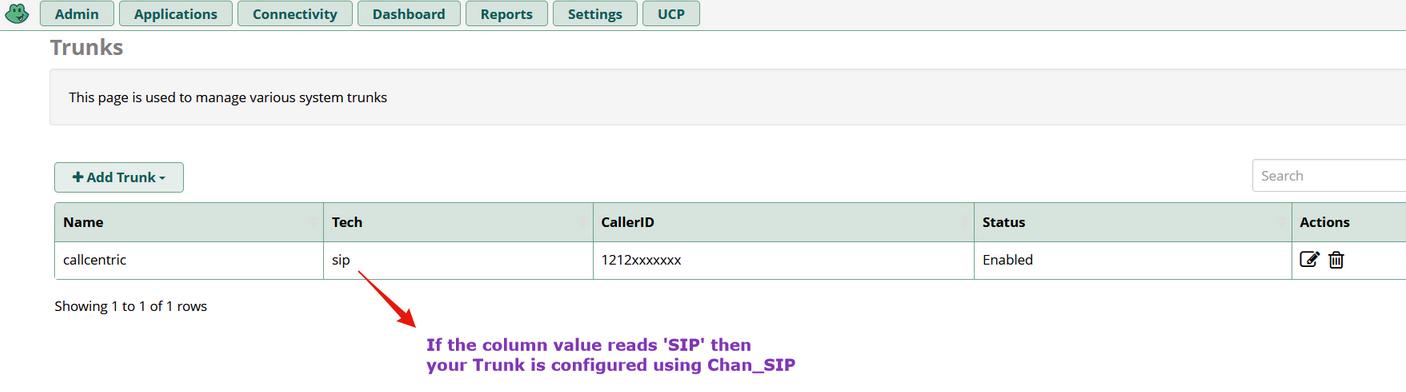
1) Confirm your Callcentric SIP Trunk is configured using Chan_SIP
- See image below. If confirmed, please move to Step 2


2) Update Hostnames
- If you are using Chan_SIP, the PBX should have already been configured with 20 Alpha Servers in the sip_custom_post.conf file.


[callcentric1](callcentric);
host=alpha1.callcentric.com
.
.
.
[callcentric2](callcentric);
host=alpha20.callcentric.com


ADD NEW Hostnames: Complete list is located within the Guide(STEP 1 >> Section 22)


[callcentricB1](callcentric);
host=bravo01.callcentric.net
.
.
.
[callcentricB20](callcentric);
host=bravo20.callcentric.net


***** The value that you've specified on the option Outgoing settings >> Trunk Name within your trunk configuration page, must be included within the parentheses on the settings above. For example, if you've specified callcentric (all lowercase) as presented above; please specify the above settings as-is. To further illustrate, if you've specified Trunk_1 for that option, you will need to include the following:


[callcentricB1](Trunk_1);
host=bravo01.callcentric.net

[callcentricB2](Trunk_1);
host=bravo02.callcentric.net

etc...


3) Update SIP Domain (Recommended):

OLD Domain: callcentric.com
NEW Domain: sip.callcentric.net


4) Verify Registration status under the Extensions page. If the Domain change caused your Registration to drop (it should not), please revert back to 'callcentric.com' and review Registration status. If you have any questions or need assistance, please open a Support Ticket